
This feature is available in V4 loader scripts only, so make sure you enable the Prefer V4 Loader option on the dashboard when you create or edit a script.
How to implement it in your script
The protection is a macro,LRM_SEND_WEBHOOK, which you call in your script wherever you want to send a secure webhook request.
Syntax: LRM_SEND_WEBHOOK(<url constant>, <webhook template>)
It takes 2 arguments. The first argument is a constant string literal that contains the webhook URL. The second argument is a constant table literal containing the JSON payload of your webhook message.
Do not pass variables as arguments. Both arguments must be constant literals, or the macro won’t work.
There is also a sanitization macro, LRM_SANITIZE, which validates values coming from the user’s client so they can’t be spoofed.
Syntax: LRM_SANITIZE(<any>, <regex string literal>)
It also takes 2 arguments. The first one can be anything: a variable, a function call, etc. The second argument must be a regex string without the / symbols at the start and end, and without anchors (^ / $).
For example: LRM_SANITIZE(plrname, "[a-zA-Z0-9_]{3, 40}")
Example usage
bounty and plrName variables. Everything else happens on the server, and the client never sees it.
Webhook messages are not guaranteed to be delivered: the webhook or the user could get rate-limited, or the user might use a script to block these requests.
Writing regex filters
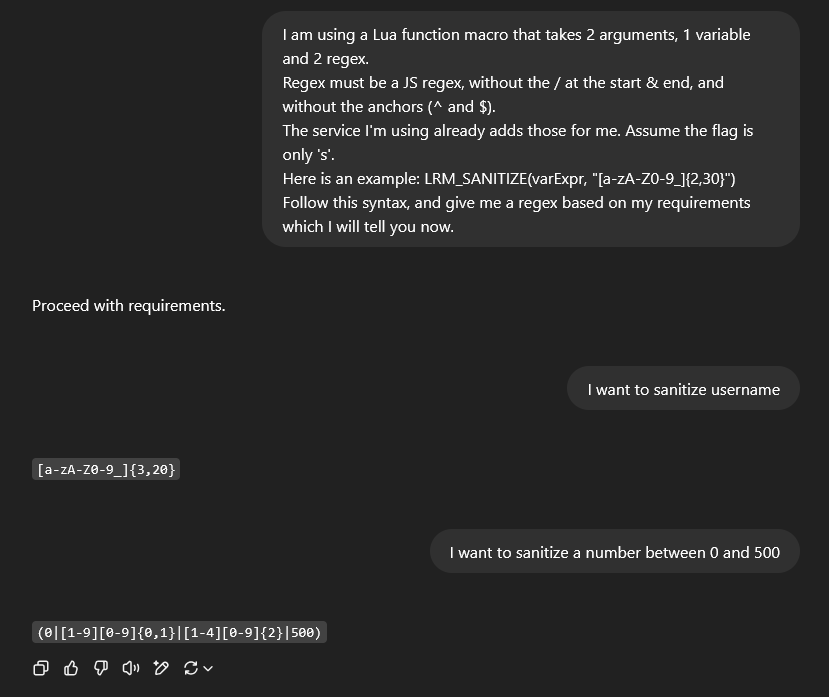
Example ChatGPT conversation generating regex filters for LRM_SANITIZE
Server-side variables
You can also use certain server-side variables, wrapped in% signs in your template strings. They are replaced on the server, and cannot be spoofed or changed by the user. Their client-side equivalents are runtime variables, which can be spoofed.
The available variables are:
Use them inside the constant strings of the template, for example:
Restrictions
- Key required: executions must use a
script_key. FFA scripts without ascript_keywill not have their webhooks sent. - Rate limit: 30 requests per minute per IP. Only send webhooks when needed.
- Embed and webhook limits: max 3 embeds per message, and max 6 protected webhooks in 1 script. If you reuse the same template, wrap it in a function instead of repeating it.
- Payload size: the JSON-serialised payload must not exceed 7000 characters.
Examples
Ready-to-paste snippets for common use cases. Replace the webhook URL with your own.Game joiner
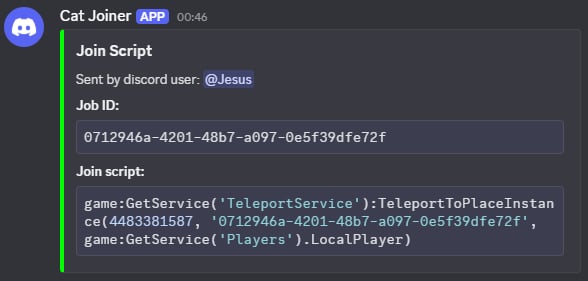
Game joiner webhook notification
Detailed execution logs
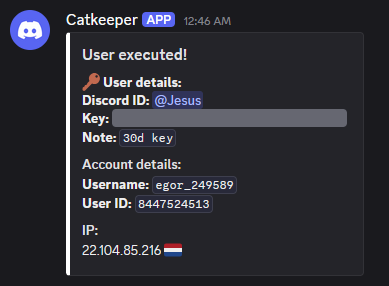
Detailed execution log notification. You should inform your users if you are logging such information.
Unique item alert
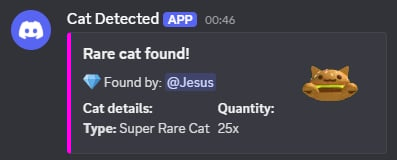
Unique item alert notification
Script error logger
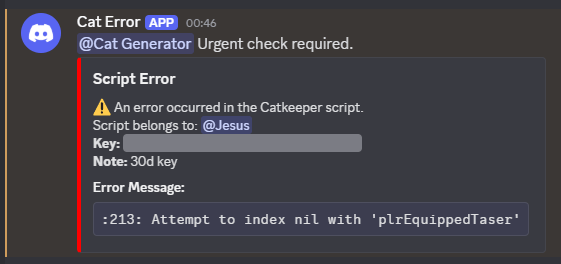
Script error logger notification